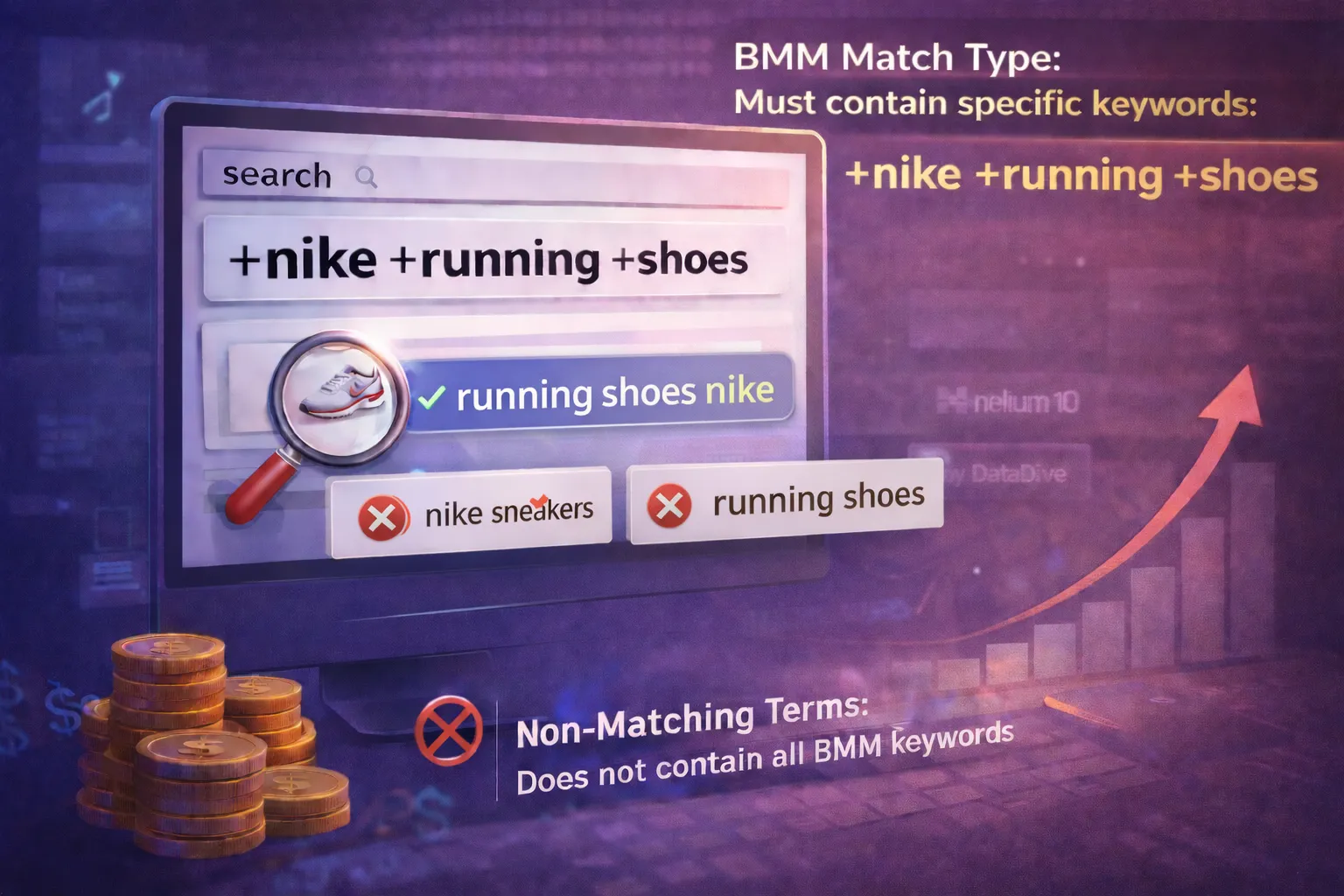
When it comes to Amazon PPC match types, everybody knows about Broad, Phrase and Exact matches. But the Broad Match Modifier, or BMM as we like to call it, is not so well known. Broad Match Modifiers are a type of Broad Match that have better precision matching with search terms—giving you more control over your Amazon advertising keyword targeting.
What Are Broad Match Modifiers?
In Amazon's own words: "You can add broad match modifiers to indicate words that must appear in the customers' shopping queries for your ad. Add a broad match modifier by adding a plus symbol '+' before the keyword."
For example, if you use the keyword +kids +sneakers, the ad may match to "kids sneakers" or "running shoes for kids" but they won't match any shopping query that doesn't contain the word "kids," such as "sneakers" or "running shoes."
Key Insight: BMM match type gives you the reach of Broad match with the precision of Phrase match. You control which words MUST appear in the search query.
Which Ad Types Support BMM?
BMMs work with both Sponsored Brands (SB) and Sponsored Products (SP), although they were initially created for SB ads to limit the "broadness" of the Broad Match.
Broad Matches with SB ads will match extremely loosely. Recently even Exact match campaigns have been seen to match with synonyms. Speculation has it that in the future Amazon might do away with match types altogether and manage keywords based on AI matching of shopper purchase intent.
BMM vs Exact Match: Which Amazon Keyword Match Type Is Better?
Exact match campaigns are great when you can identify highly relevant, long-tail keywords with strong purchase intent. However, they have a significant limitation when it comes to Amazon PPC optimization: restricted search volume.
Real Example: The Math Behind BMM
Let's say your main Exact match keyword is "organic soy candles". The corresponding BMM keyword would be +organic +soy +candles.
What search volume can this BMM keyword attract?
If you refer to the Product Opportunity Explorer for this niche, you can see that there are multiple related keyword variations with a combined search volume that significantly exceeds the Exact match version alone. Using a BMM for your Amazon advertising campaigns is a no-brainer in this case.
The Zero Impressions Problem
The most common symptom of an Exact match-only strategy is zero impression keywords. You've carefully researched and added keywords, but Amazon just doesn't serve them because the search volume is too low or competition is too high.
When using BMMs on the other hand, winning impressions is generally not a problem with lower bids as Amazon seems to favor the control of broader targeting. The only downside is that you might generate irrelevant searches that need to be negated—which is why negative keyword management is essential for any BMM strategy.
For example, if your candle is not scented, you would want to add "scented" as a negative keyword to prevent wasted ad spend and improve your ACOS (Advertising Cost of Sale).
How PPC Ninja Uses Broad Match Modifiers
At PPC Ninja, we like to use BMMs in the following situations:
- Alongside Exact match campaigns - We run both BMM and Exact match for the same keyword targets to maximize coverage
- Keyword harvesting - Once we harvest good keywords from Search Query Performance (SQP) data, we add them as both BMM and Exact match
- Impression scaling - When Exact match keywords struggle to get impressions, BMM often solves the problem
The main issue we're solving with BMMs: They facilitate consistent impression volume while maintaining keyword relevance. You get broader reach without sacrificing targeting precision.
The Future of Amazon PPC Match Types
With Amazon rapidly adapting AI to its advertising platform, the likelihood of a world without traditional match types is not unthinkable. Imagine just providing Amazon with keywords and the algorithm automatically figures out how best to match that with a customer search term, through semantic analysis and machine learning.
But as long as we have access to Broad Match Modifiers for our Sponsored Products campaigns and Sponsored Brands ads, we can future-proof our Amazon PPC strategy, starting now.
Key Takeaways
- BMM gives you significantly more search volume compared to Exact match alone
- Use the
+symbol before each word that must appear in the customer search query - BMM works with both Sponsored Products and Sponsored Brands ad types
- Always run BMM alongside Exact match for comprehensive keyword coverage
- Monitor your search term reports and add negative keywords for irrelevant matches to optimize ACOS
- BMM is essential for effective Amazon PPC bid optimization and campaign scaling
Need Help With Your Amazon PPC Strategy?
Our team can audit your campaigns and identify opportunities to improve your keyword targeting.
Book a Free Strategy Call