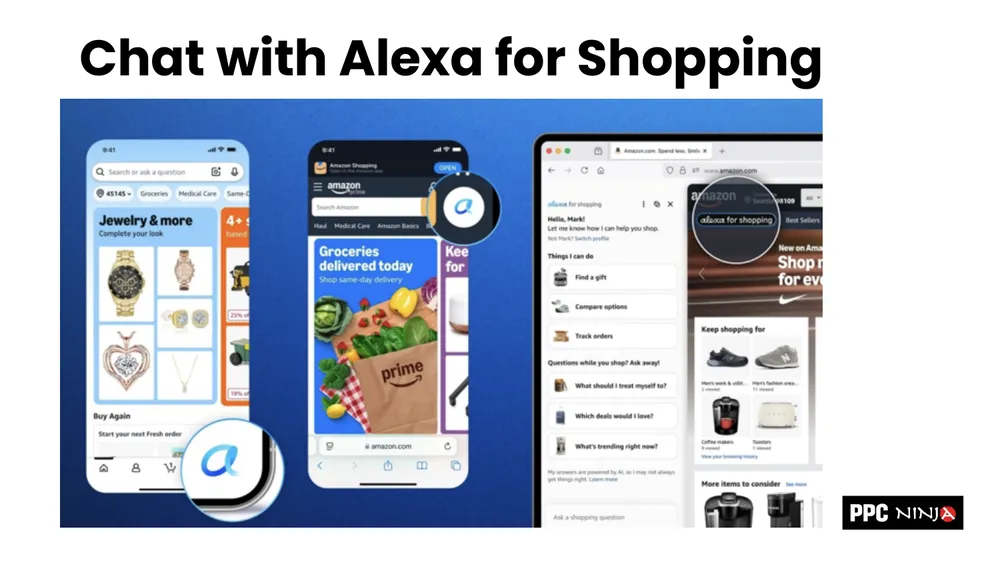
Amazon just gave Rufus a new name. In the US it is now called Alexa for Shopping, and it is free for anyone with a Prime membership. Rufus has been around for almost two years, quietly rolling out from the US to the UK, Germany, and most other marketplaces. Now it has a friendlier name, deeper integration, and a much bigger role in how shoppers find products.
This is the shift to conversational commerce, and it is happening whether or not your listings are ready for it. The good news: getting ready is a solvable problem. This guide walks through exactly what changed, how Alexa understands shoppers, and the ten things you can do right now to get your products recommended. If you want the conceptual backdrop first, start with optimizing your listings for Amazon Rufus.
Four Ways Shoppers Now Talk to Alexa
Alexa is not tucked away in one corner of the page. Amazon has woven it into every moment where a shopper might have a question. There are four main ways to interact with it, and they show up almost everywhere.
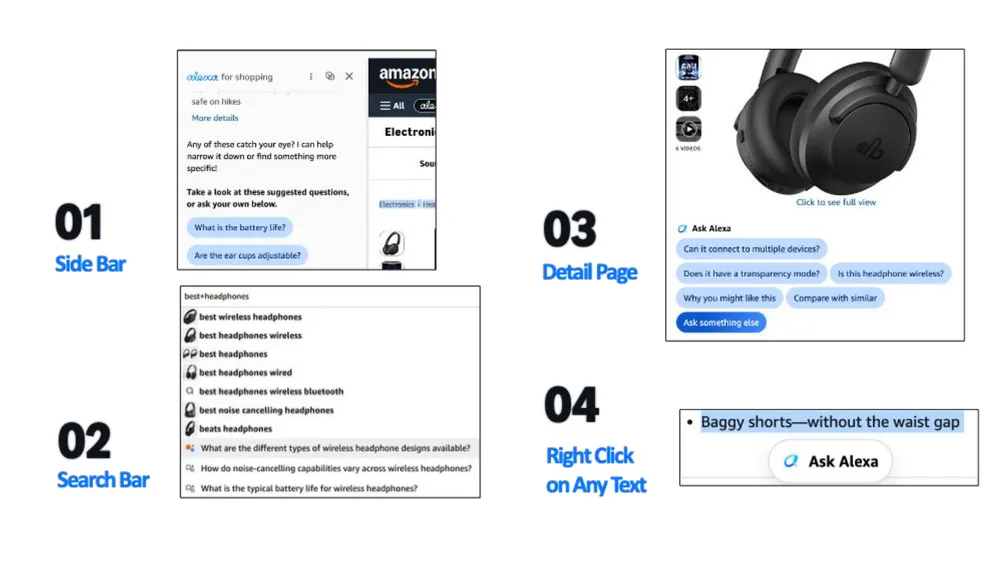
- The sidebar. A dedicated "Alexa for Shopping" panel you can open at any time to chat.
- The search bar. Start typing and Alexa suggests questions you can ask instead of a plain keyword.
- The detail page. Precurated prompt bubbles appear wherever Amazon thinks a shopper might hesitate, right up to the buy box.
- Right-click on any text. Highlight a spec or a bullet, right-click, and "Ask Alexa" continues the conversation in the sidebar.
Add voice to that list. Alexa for Shopping is conversational by voice too, so a shopper can literally say "it is my partner's birthday this weekend, what should I buy them under two hundred dollars?" and get a real answer. Audio ads and proactive reorder prompts (Alexa noticing you are running low on supplements you bought three months ago) are coming next. If you are in the Amazon ecosystem, Alexa is becoming the layer that connects everything.
From Keywords to Conversations
The biggest change is the move away from keywords and toward conversation. The old way of finding a fast-drying towel was to type "microfiber bath cloth" into the search bar. The new way is to ask "towels that dry fast and don't stink."
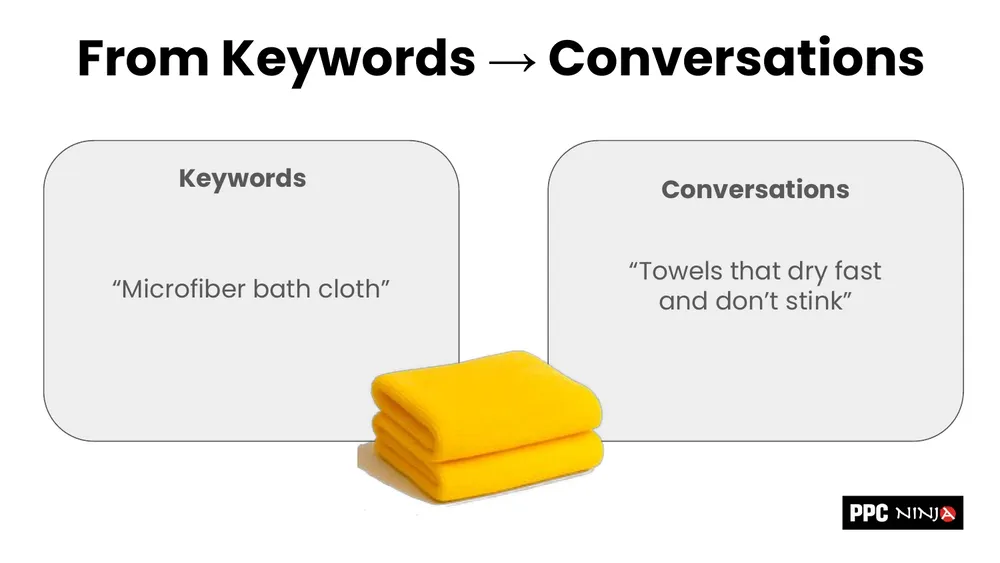
That shift breaks a lot of familiar tooling. Where is the search volume for "towels that dry fast and don't stink"? There isn't one, and there won't be for a long time, because everyone phrases their conversation differently. Your Helium 10, Data Dive, and Jungle Scout research still matter, but they only describe half of how people now find products.
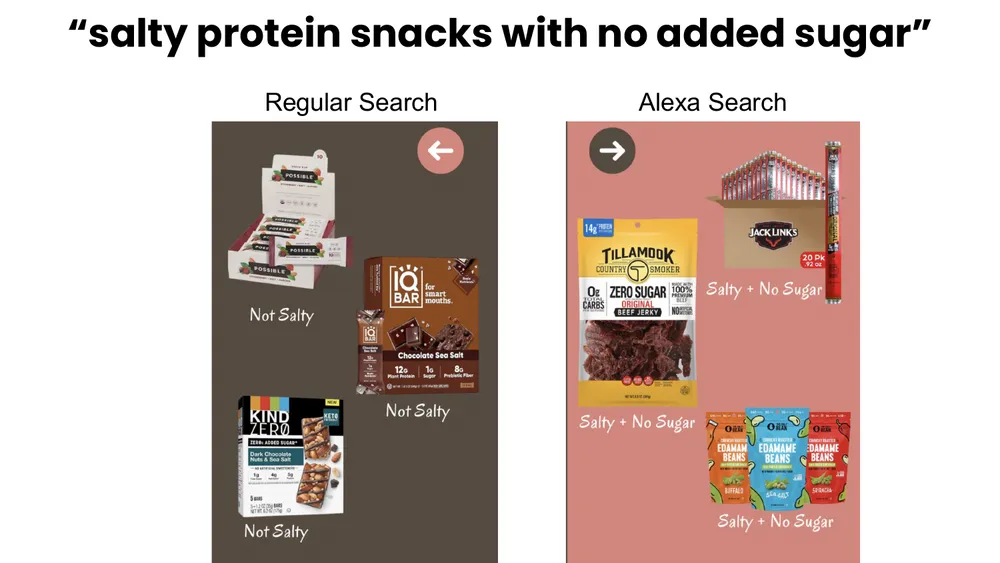
Here is why that matters. Ask a regular A9 search for "salty protein snacks with no added sugar" and the results miss the mark: chocolate bars and sweet protein bars that are not salty at all. Ask Alexa the same thing and you get real salty snacks with no sugar: beef jerky, edamame, the actual intent behind the query.
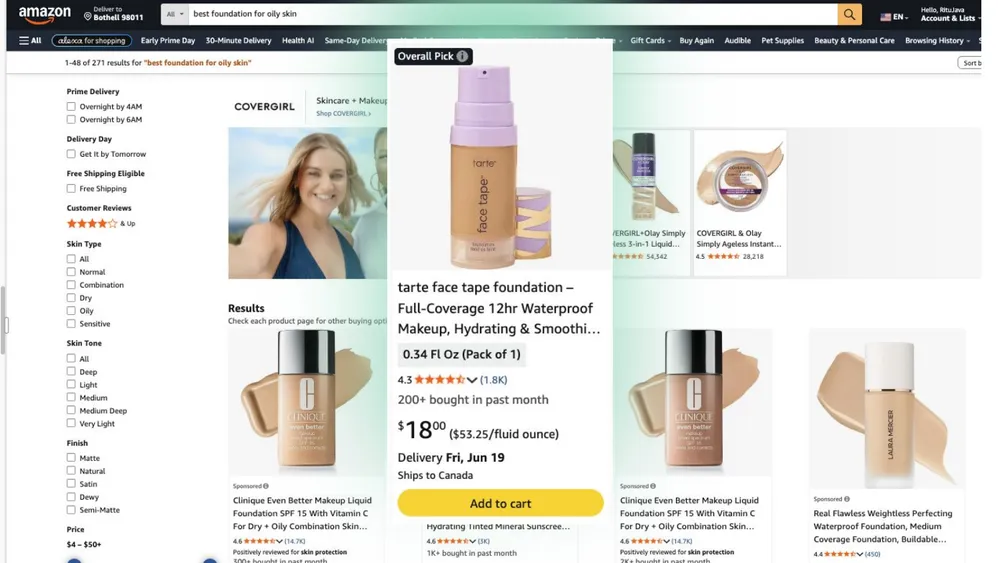
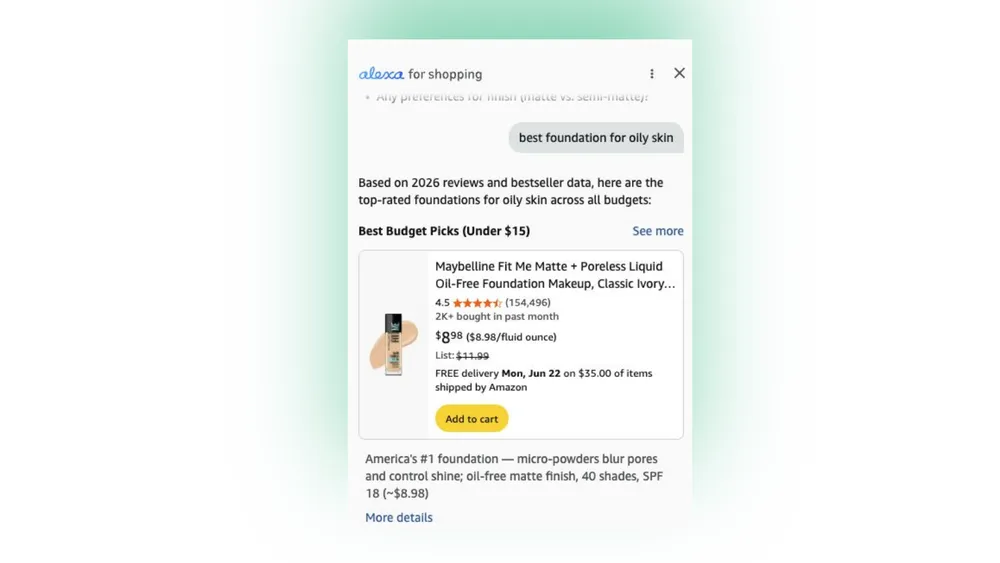
The same thing happens with "best foundation for oily skin." A9 surfaces one product. Alexa understands what "best" means for you (quality, price, your buying history) and surfaces a budget pick that fits. What ranks inside Alexa is not what ranks inside A9. That is the shift, and the word "ranking" itself is changing meaning.
How Alexa Understands You: Semantics, Inference, Personalization
Three capabilities separate Alexa from the old keyword engine.
1. Semantics
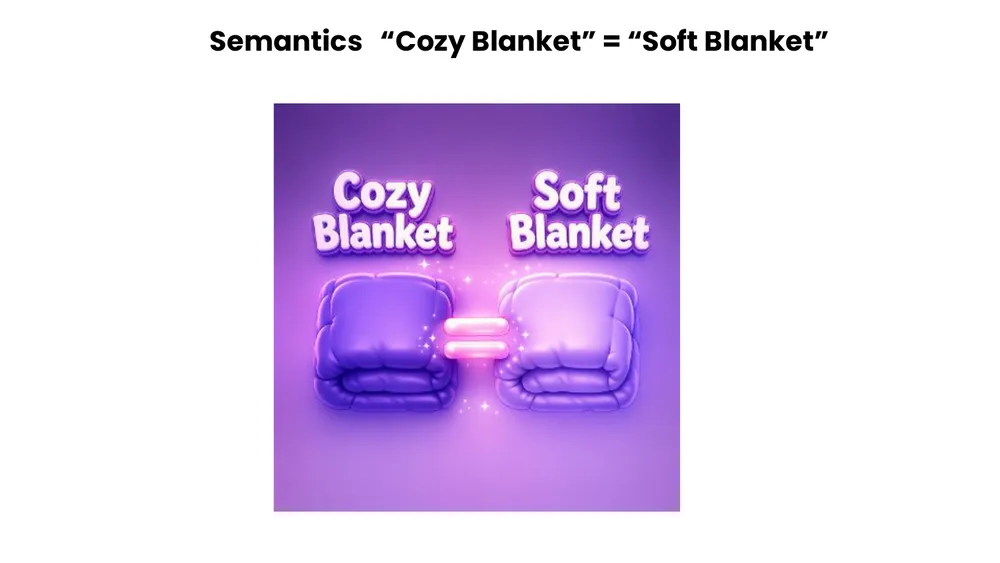
Alexa does a semantic search, not a literal one. "Cozy blanket" includes soft, warm, and every other way of expressing the same idea. You no longer have to be stiff and technical in the search bar. You can be loose, even lazy, and still get a good match.
2. Inference
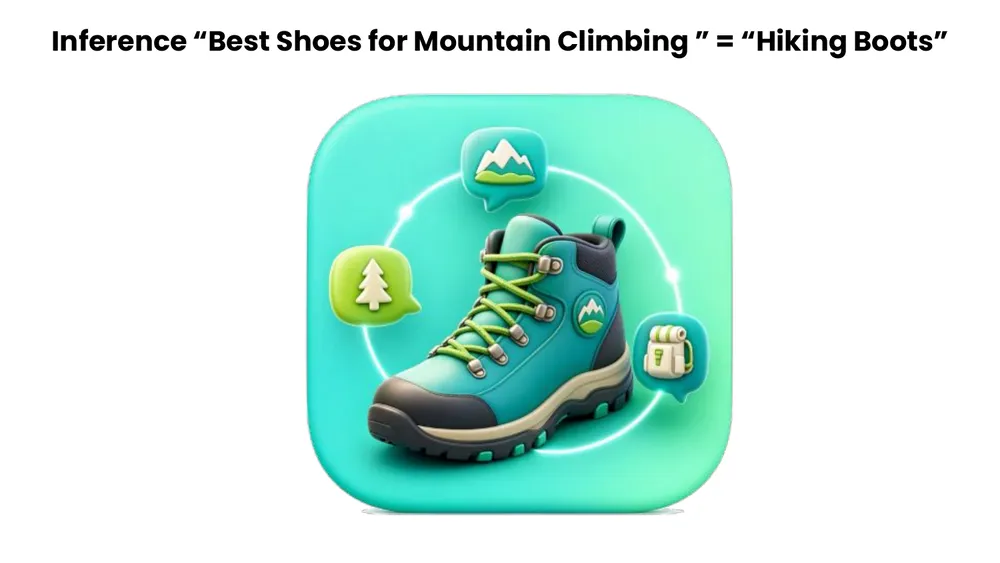
Alexa fills in the gaps you did not say out loud. Ask for "best shoes for mountain climbing" and it infers you mean hiking boots, the technical term you would use in a store. It reads the intent behind the words.
3. Personalization
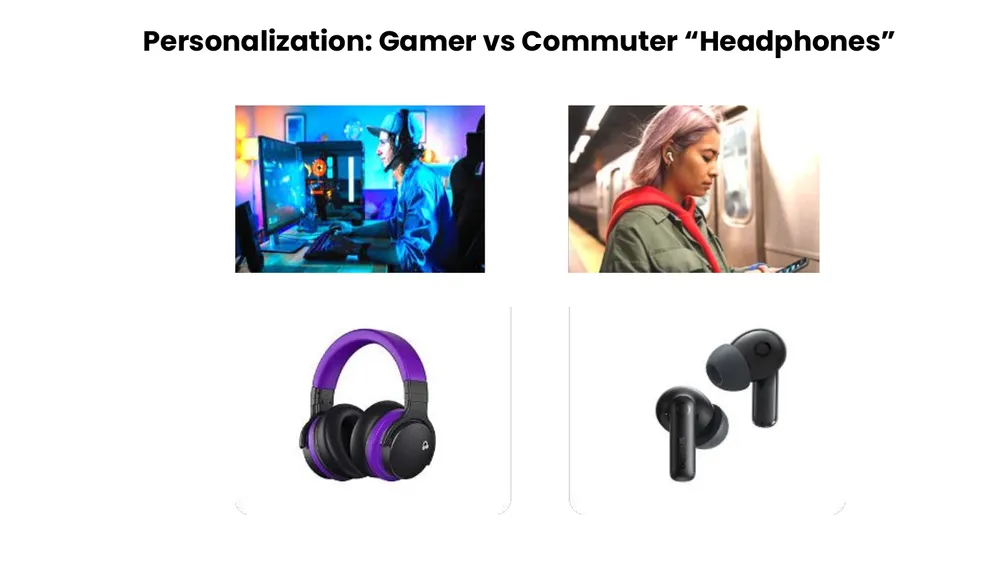
The same query returns different results for different people. Ask for "headphones" as a gamer and you get over-ear cans that keep your hands free. Ask as a commuter and you get light wireless earbuds. Alexa is learning what kind of shopper you are and catering to it.
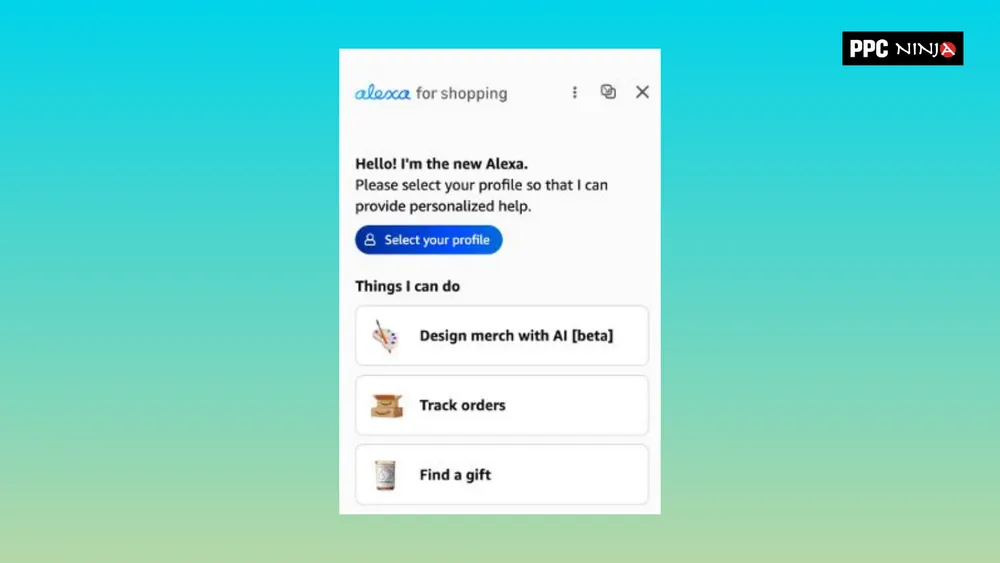
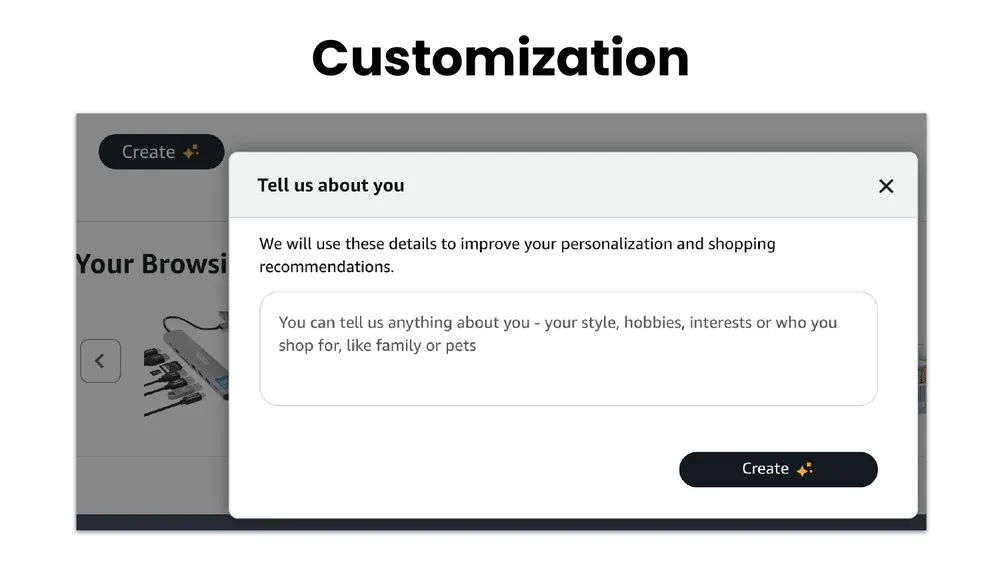
Alexa even asks shoppers to tell it about themselves. When you fill in your hobbies, interests, and who you shop for, every future answer passes through that filter. Personalization is no longer a nice-to-have. It is a lens on every result.
Why Alexa Is a Game Changer
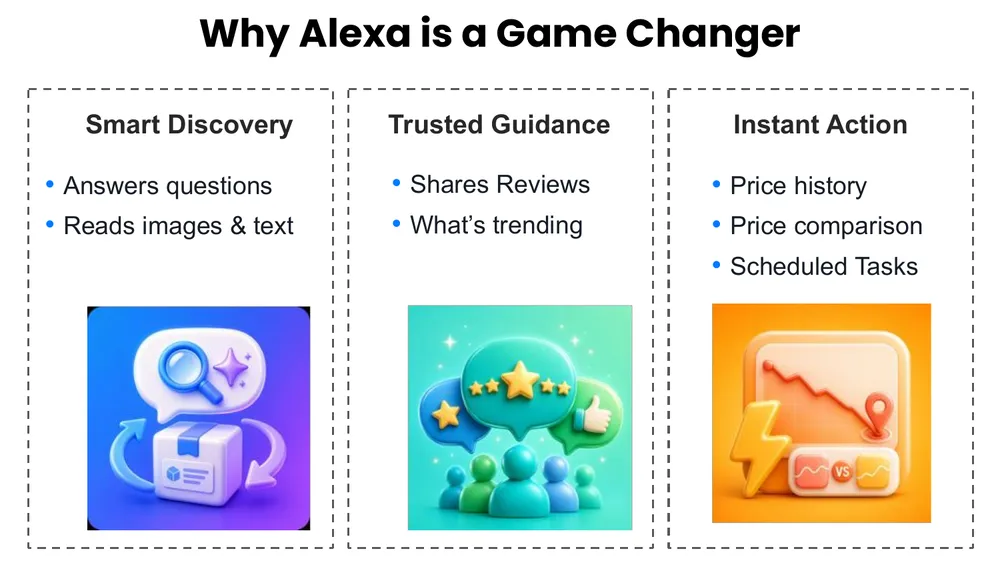
Alexa is simply better for shoppers, which makes it more addictive. Once you get exactly the product you want by asking a couple of follow-up questions, you never want to go back to scrolling through mismatched results. It facilitates smart discovery, trusted guidance, and instant action all in one conversation.
If you are not prepared, you risk chasing only the shoppers who see your product at the top of A9, while the rest get matched to competitors who described their products better or addressed concerns more clearly.
Writing for Both Engines: Noun Phrases Beat Keyword Stuffing
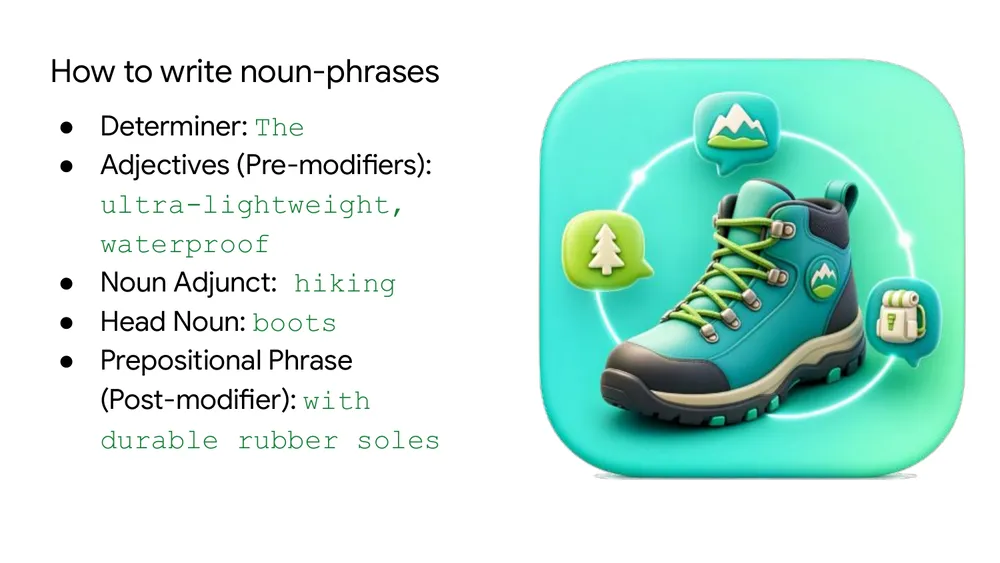
So how do you write for Alexa? The core idea is that grammatical noun phrases beat raw keyword strings. In the past we crammed high-volume keywords into titles like "waterproof hiking boots lightweight durable." That is a raw string of search traits with no grammar and no flow.
The Alexa-friendly version says the same thing as a readable noun phrase: "the ultra-lightweight, waterproof hiking boots with durable rubber soles." Large language models are very good at breaking that into its parts, so it wins with both the human and the AI.
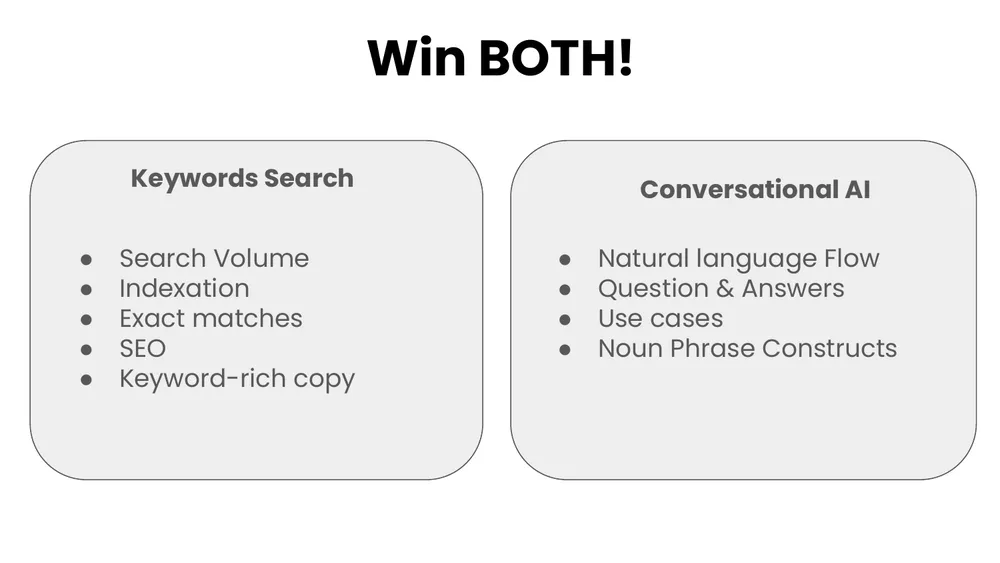
To be clear, nobody is saying drop your keyword strategy. Amazon is keeping A9 alive, so the old way and the new way have to coexist through this transition. You want to win both games at once, which is exactly what our listing optimization approach is built to do.
10 Best Practices to Get Indexed for Alexa
These are the ten moves that make it easy for Alexa to understand and recommend your product. Most of them live in your images, because Alexa reads images as carefully as it reads text.
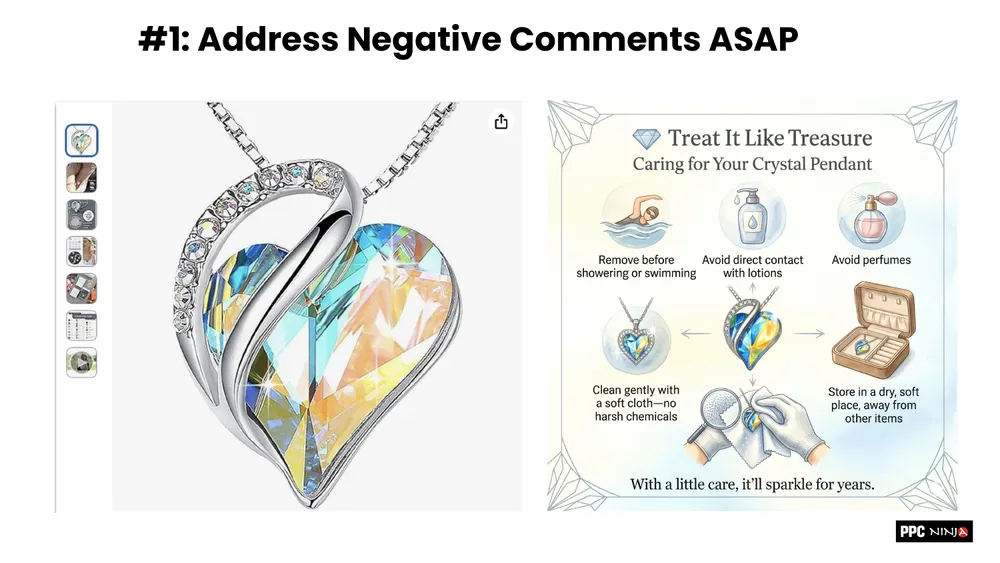
1. Address negative comments as soon as possible
If Alexa flags a recurring complaint, answer it proactively. One pendant kept getting "it falls off easily." The fix was a "Treat It Like Treasure" care image: do not wear it swimming, keep it away from perfume, store it in a dry place. Now Alexa can pull that answer straight from your listing and reply on your behalf.
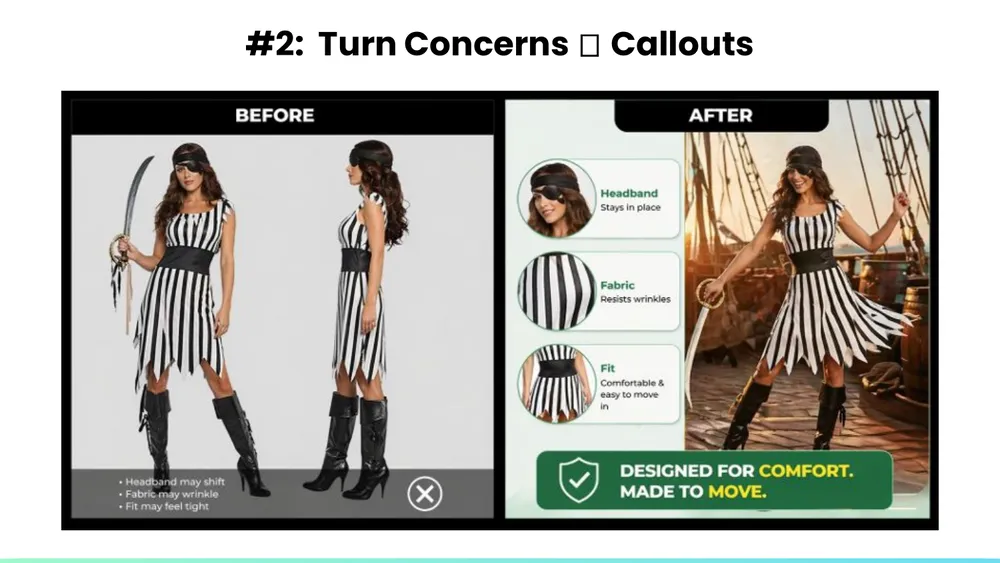
2. Turn concerns into callouts
Take the questions shoppers keep asking and answer them visually. This Halloween dress kept drawing doubts about fit and movement, so the after image calls out the headband, the wrinkle-resistant fabric, and the flow.
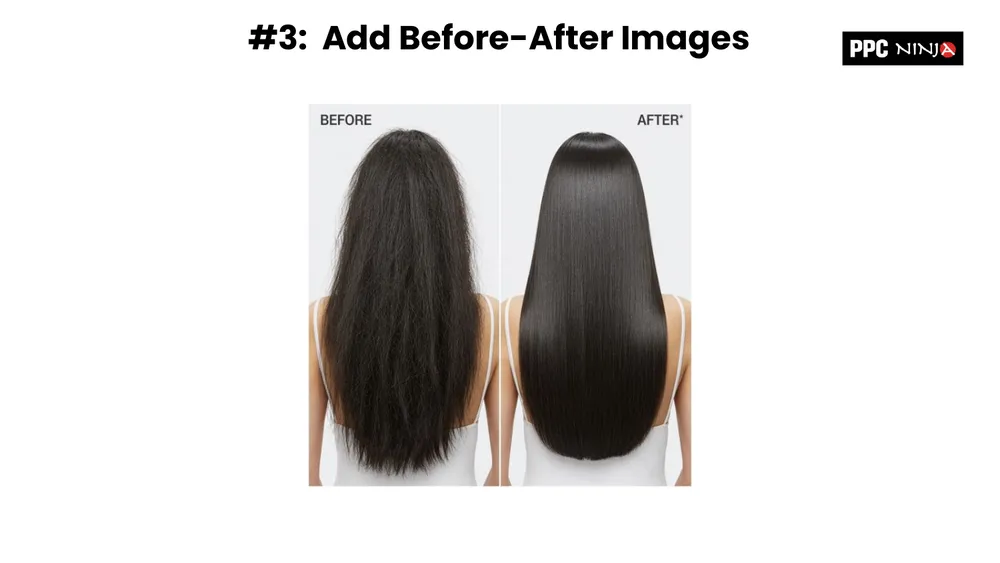
3. Add before-and-after images
Show the transformation. A clear before and after gives Alexa enough information to describe the result your product delivers.
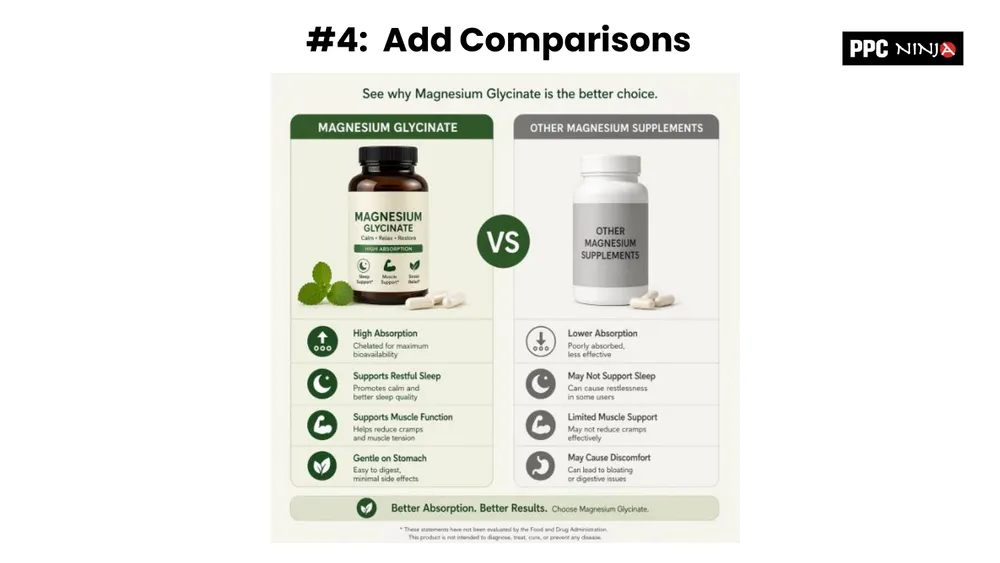
4. Add comparisons
A simple "us versus them" slide highlights where you are stronger than the rest of the market. High absorption, restful sleep, gentle on the stomach, all contrasted against the generic alternative.
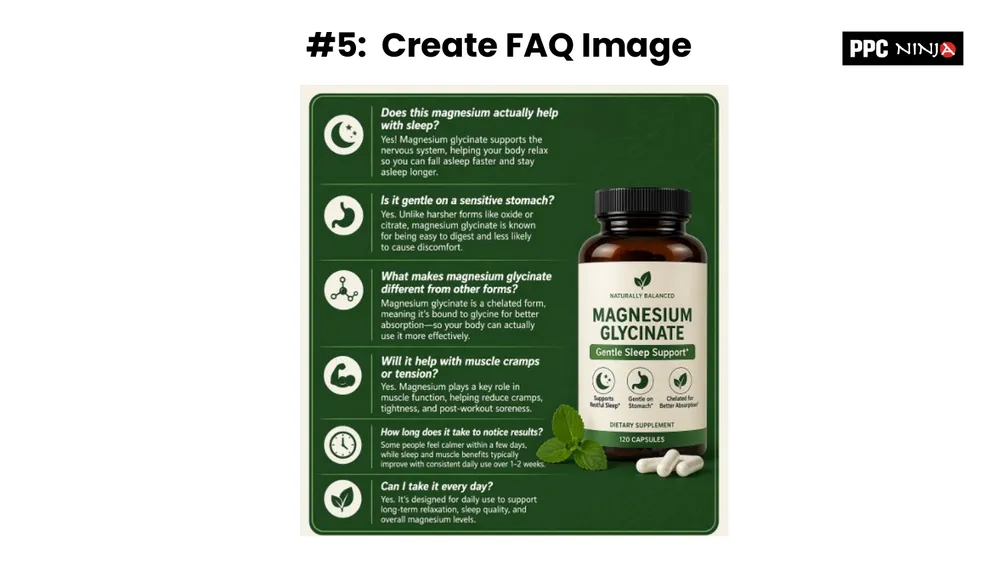
5. Create FAQ images
Throw the questions Alexa keeps asking into one or two text-heavy images near the end of your carousel. Most shoppers never reach image seven, eight, or nine, but Alexa indexes the concepts there.
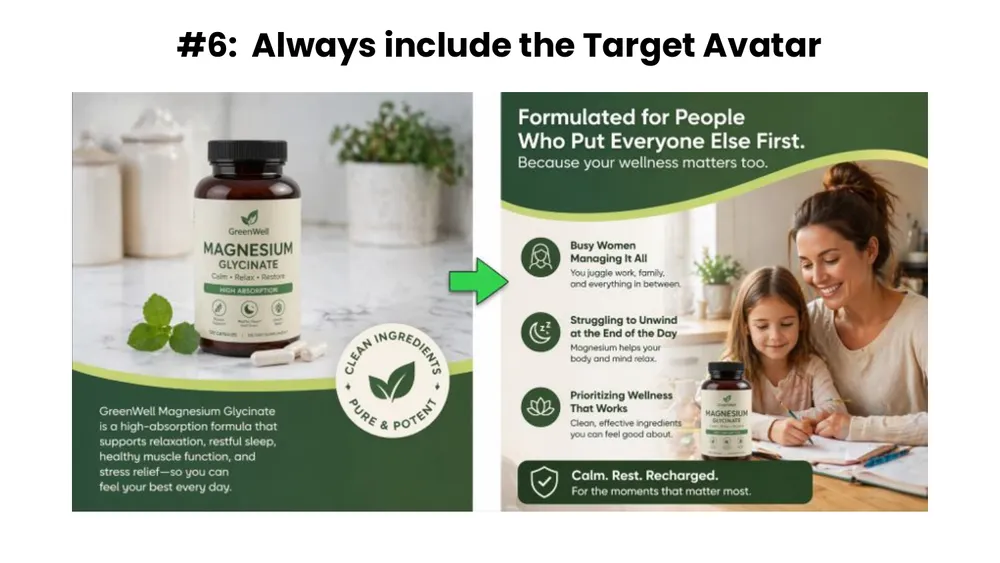
6. Always include the target avatar
So many listings have no people in them. Your target avatar is a strong personalization signal. If the buyer is a busy mom, show her. If the product is for men and women, include one image of each.
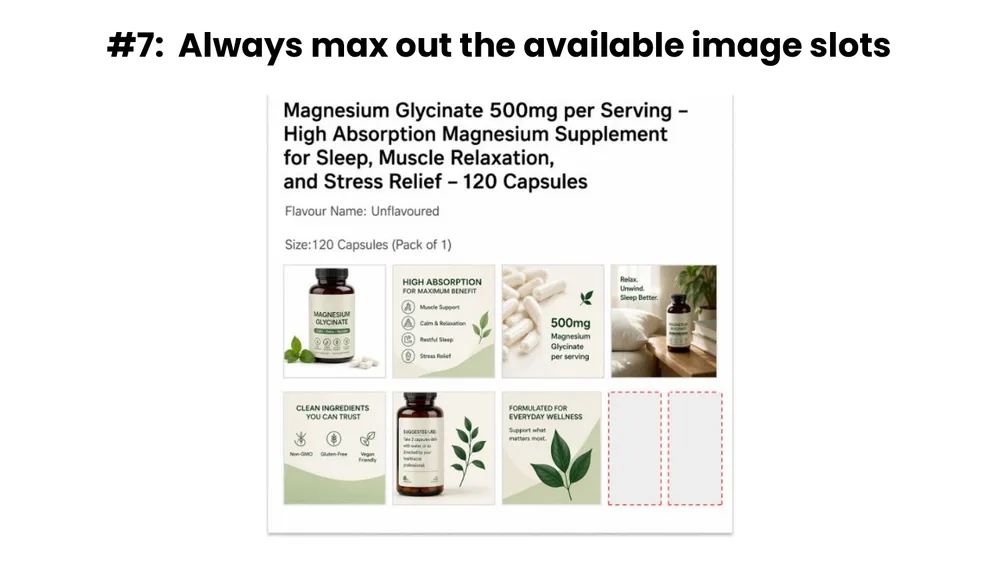
7. Max out your image slots
Do not leave empty slots sitting for months. Fill them with the comparison, FAQ, avatar, and callout images you just built.
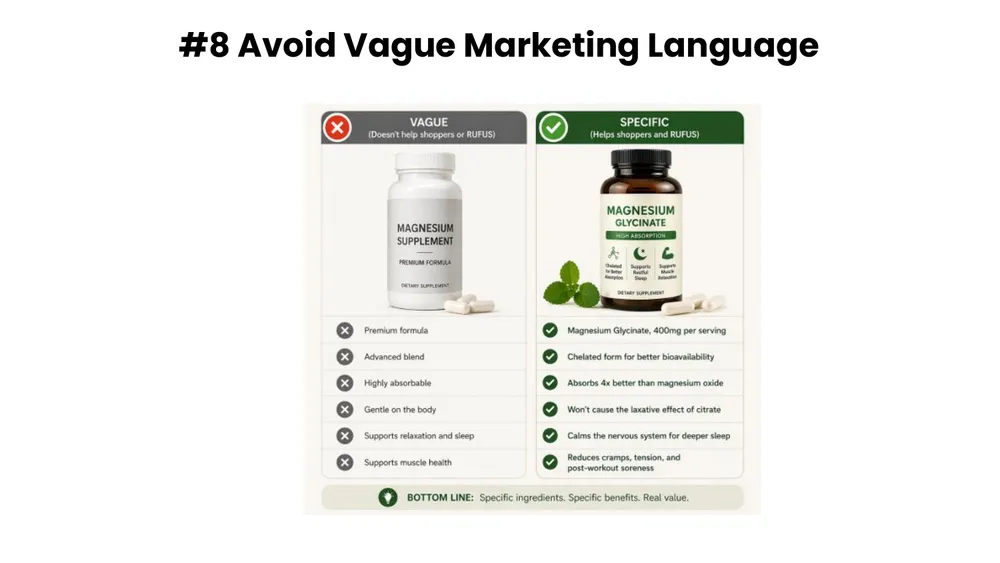
8. Avoid vague marketing language
"Premium formula" and "advanced blend" mean nothing to Alexa. Translate them into literal claims it can repeat: "absorbs 4x better than magnesium oxide." Give Alexa the ammunition to represent you.
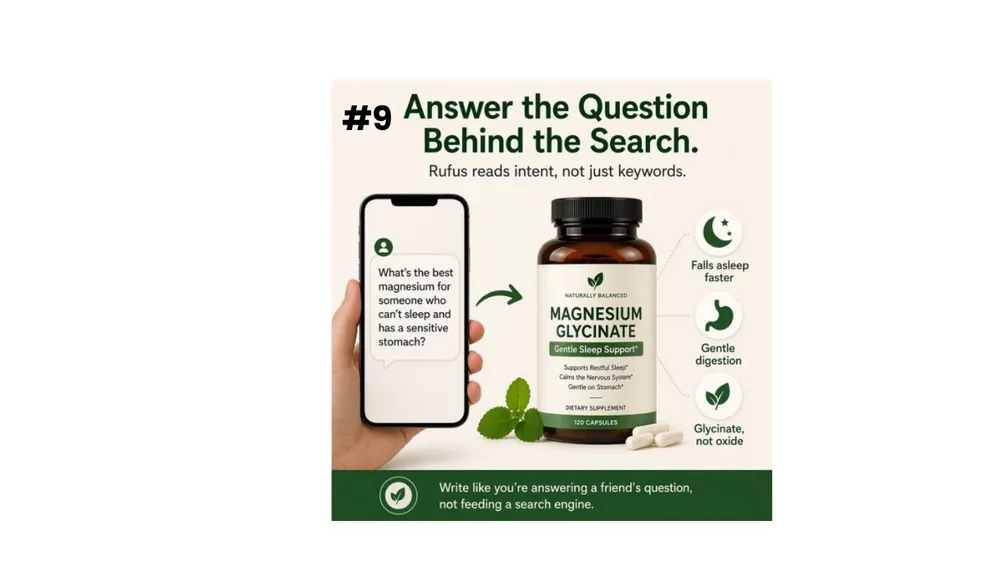
9. Answer the question behind the search
Answer what shoppers actually intend to ask. Behind "magnesium supplement" is often "what is the best magnesium for someone who can't sleep and has a sensitive stomach?" Put that answer right on the image and shoppers self-select.
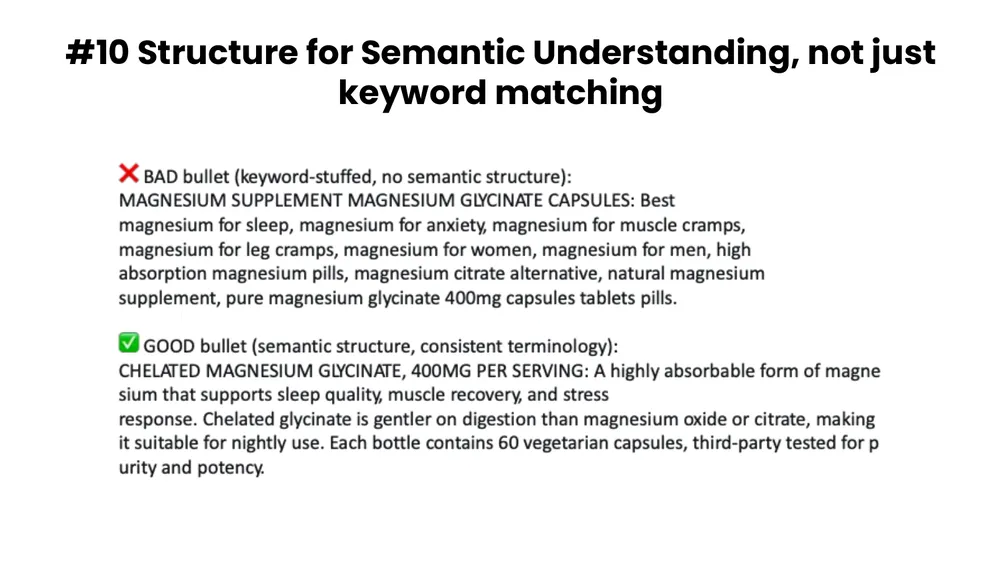
10. Structure for semantic understanding, not keyword stuffing
A bad bullet is a keyword soup that repeats "magnesium" twenty times. A good bullet reads like a helpful human: "a highly absorbable form of magnesium that supports sleep quality, muscle recovery, and stress response, gentler on digestion than magnesium oxide." Same information, structured for meaning.
Real Before-and-After Case Studies
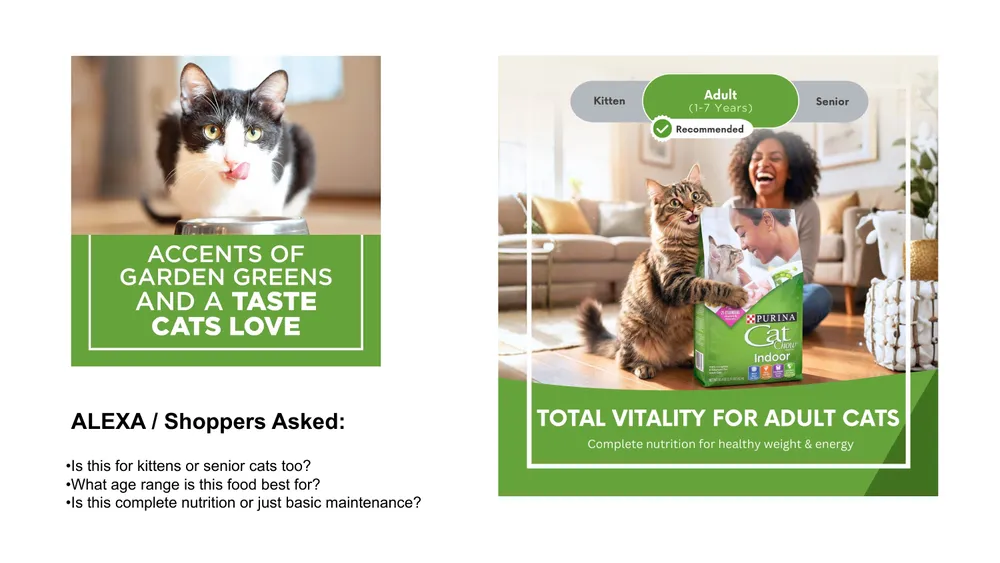
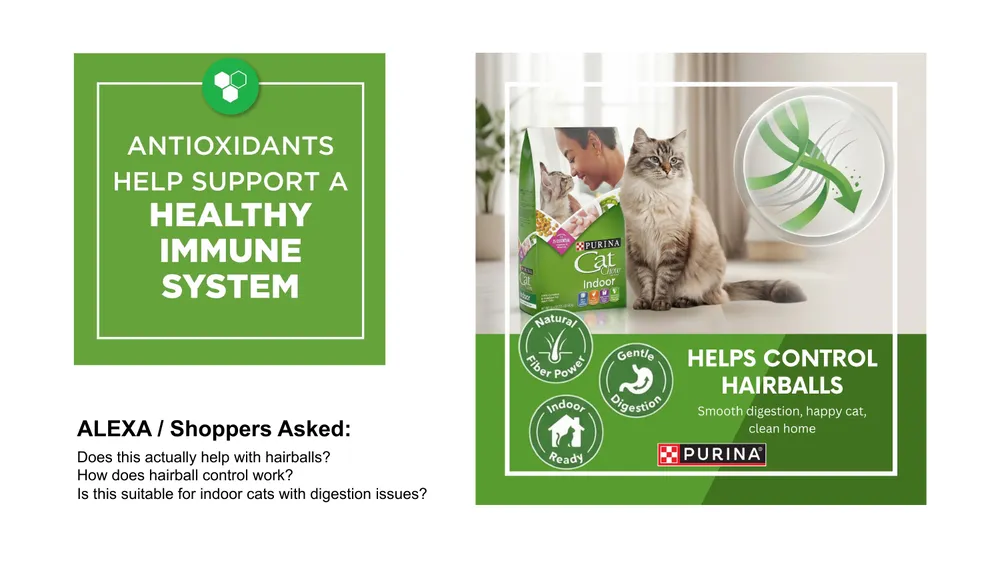
Here is what this looks like on live listings. Each of these started from actual questions shoppers asked Alexa, then rebuilt the images to answer them.

The Dual Flywheel Still Holds
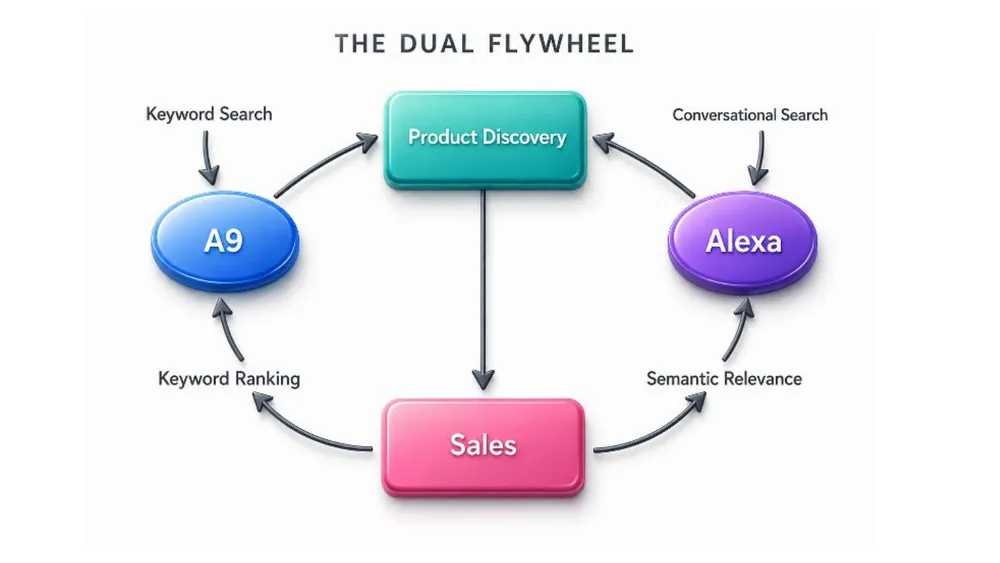
None of this means A9 is dead. The dual flywheel model still applies: keyword search feeds A9, conversational search feeds Alexa, and both spin around the same center of gravity, product discovery. A sale from either engine fuels both. You want both wheels turning at the same time.
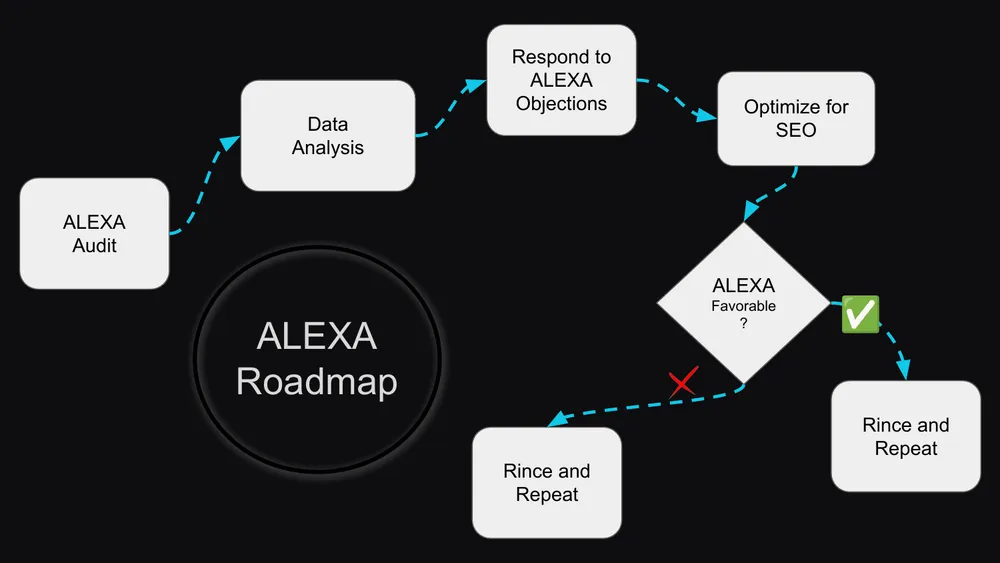
Your Alexa Readiness Roadmap
Preparing for Alexa is a loop, not a one-time project. Start with an audit, deploy the fixes, measure how Alexa responds, then rinse and repeat every couple of months as reviews and questions keep changing.
Two Timing Notes
Do not touch your title or bullets during Prime Day. Post Prime Day is fine. And when you do make changes, be careful with the title and bullets because indexation relies on them. Images and A+ content are safer to iterate on more often.
This works in every market that already has Rufus. We have completed audits for the US, UK, Germany, and the wider EU. If you see Rufus or Alexa when you sign in to a marketplace, we can support it.
How PPC Ninja Does It
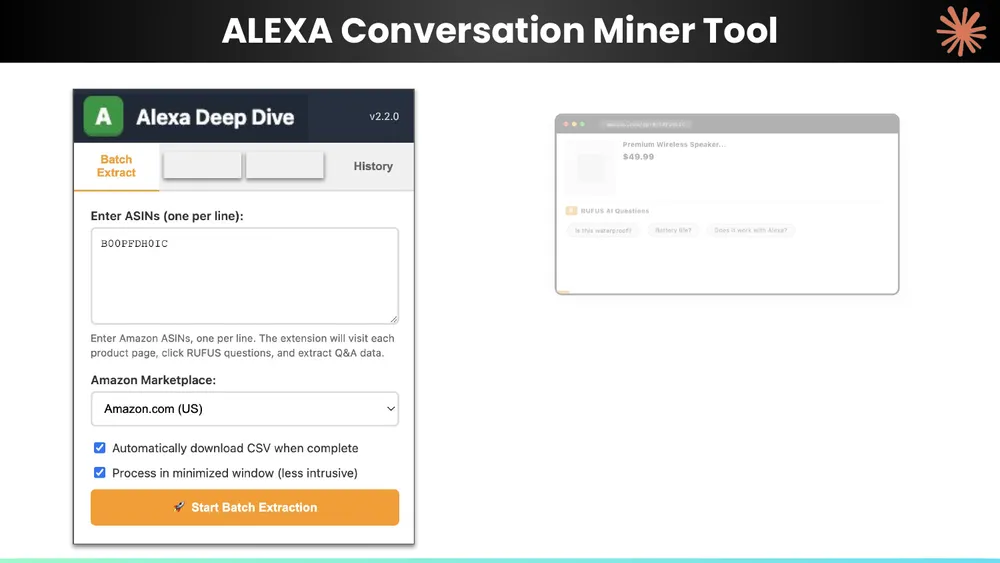
Our edge is rapid tool development. We started as a PPC software company, so tech is in our DNA. Two tools do the heavy lifting.
First, the Conversation Miner. It extracts the real questions and deep concerns shoppers surface in Alexa, the blind spots you cannot see in your own listing because you are too close to it.
Second, AI image generation at scale. We have produced more than 1,226 Alexa-optimized images and counting, using a stack of tools we built and refined over the past year.
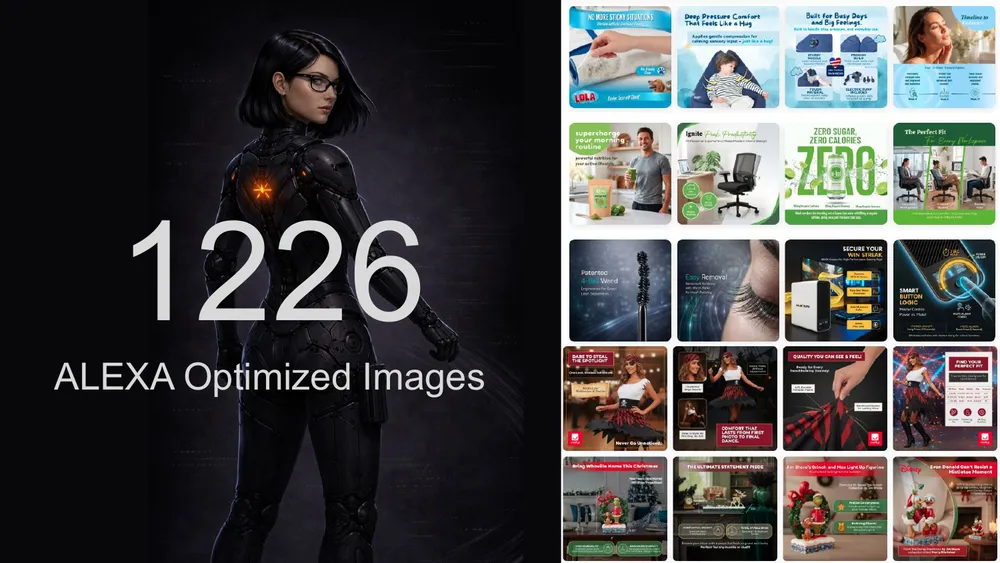
Those tools feed our audit, which is a full rebuild blueprint rather than a checklist. Every image, every bullet, and every A+ module gets analyzed against real buyer data. It includes:
- Buyer Voice Analysis. Every question, complaint, and praise from real buyer data, organized by severity with verbatim quotes.
- Top 10 Buyer Questions. The questions shoppers ask before purchase that your listing fails to answer. Each one is a missed conversion.
- Full Copy Rewrite. Three title versions, all bullets rewritten, and a complete product description, ready to paste.
- Image-by-Image Analysis. Every carousel image audited individually, plus the images you are missing and how to build them.
- A+ Content Audit and Rebuild. Module-by-module analysis with a complete redesign and final-draft copy.
- Buyer Alignment Tracker. Every buyer concern tracked with color-coded status: covered, partially covered, or missing.
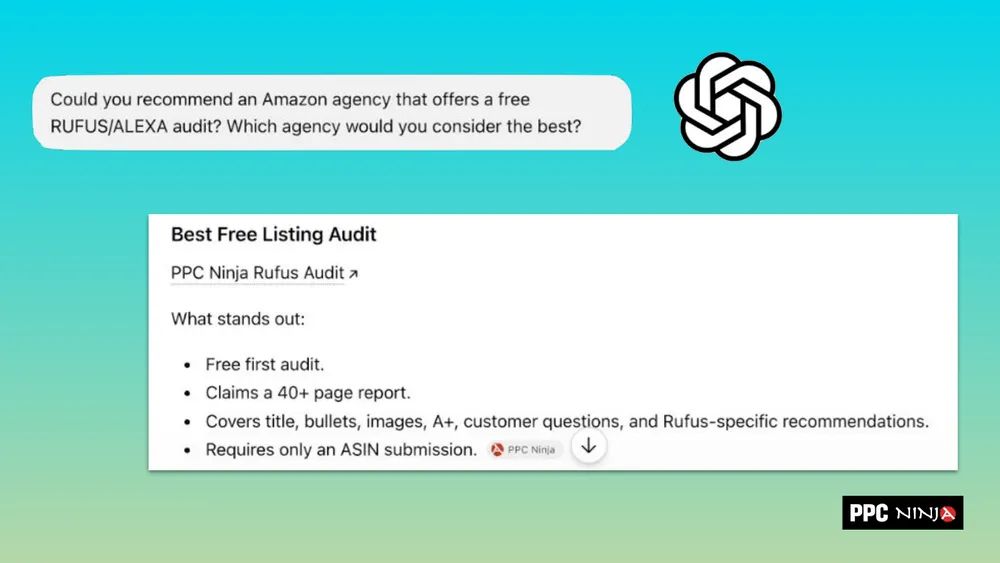
All we need is your ASIN. Whether you optimize your listings yourself using this guide or hand it to us, the goal is the same: be the product Alexa recommends, not the one it skips.
Get Your Free Rufus & Alexa Audit
The most thorough Amazon listing audit on the market, driven by real buyer data. Your first one is on us. Just send us your ASIN.
Claim Your Free Audit